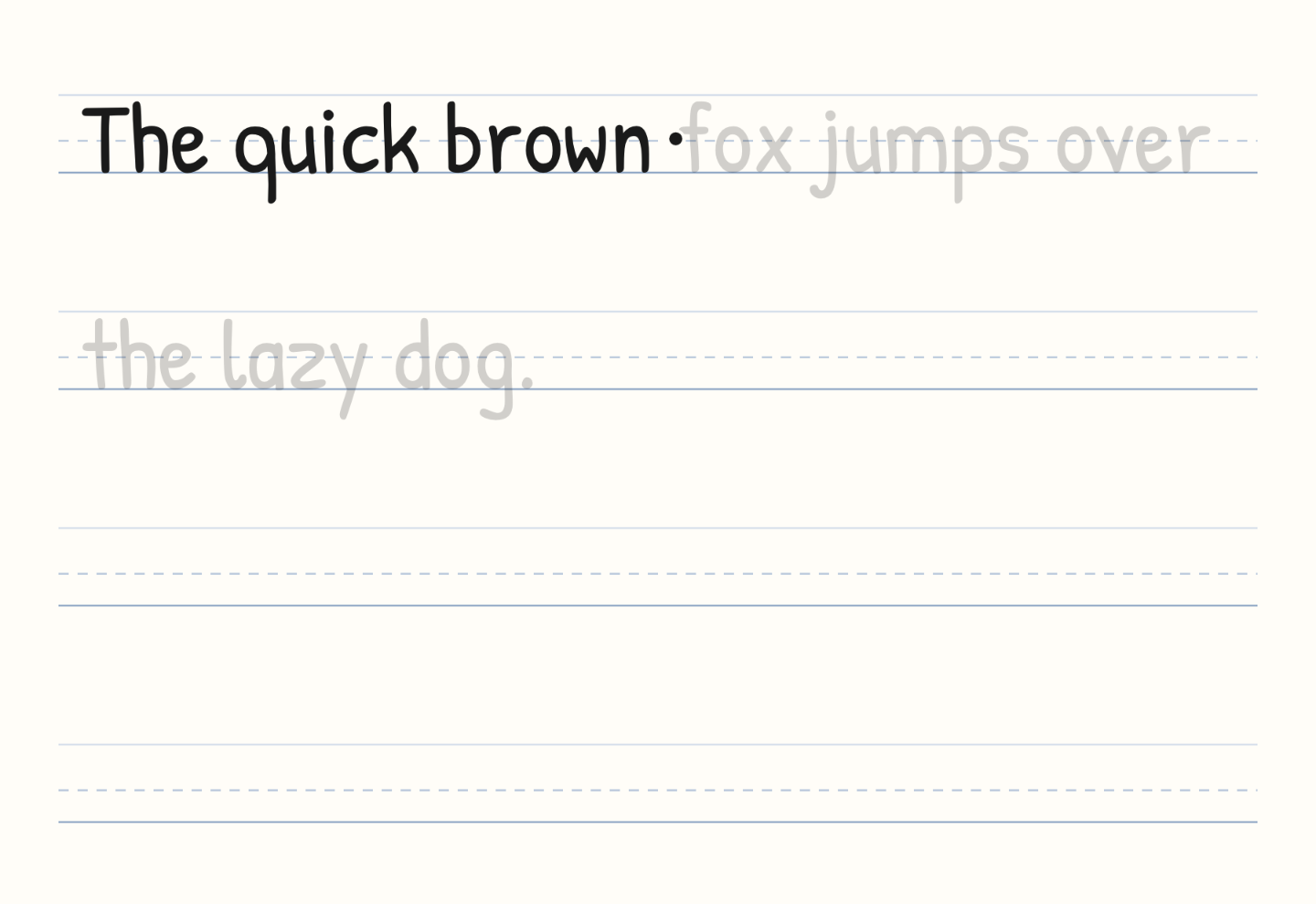
Handwriting repeater: loop a sentence until the strokes stick
Free, no signup. Type one line and a pen writes it on ruled paper, holds, then writes it again. The first loop finishes in well under a minute.
A printed model just sits there. This one moves, so you can watch the letter appear and then copy it on the blank lines under the sentence.
The loop, with the settings that produced it
Open the handwriting repeater. These are the controls I left in place on desktop Chrome (macOS, October 2026):
| Setting | Value |
|---|---|
| Text | The quick brown fox jumps over the lazy dog. |
| Font | Patrick Hand |
| Writing speed | default — slider not moved |
| Trace guide | on |
| Loop | on |
| Ink | black |
Hit play if the loop is paused. The faint letters are the guide. The dark ink is the pen catching up, one letter at a time, left to right. When the sentence finishes it holds, clears, and starts again.
The two empty ruled lines under the sentence are there to copy onto while it plays. Download GIF saves one writing pass, including the pause at the end, and the file loops. The blank lines stay in the picture. It is a loop to watch again, not a print worksheet.
Change one control at a time
Alphabet and Numbers swap the box for a short drill. For the alphabet, move the speed slider toward Slow and leave the trace guide on. The loop keeps running while you watch.
Cedarville Cursive runs the same sentence in cursive. The joins are that font's shapes, uncovered left to right. You see the finished letter. You do not see a marked entry stroke.
Loop off when you only want one pass on the screen. The GIF is always one pass, and the file loops either way.
Trace guide off when the faint letters get in the way and you only want the pen.
A name works the same way: type it, let it loop twice, then download. A full sheet of dashed rows belongs on the name tracing worksheets generator. A packet of words belongs in the handwriting workbook generator: paste the list, print the book.
What it will not do
The pen does not follow a textbook stroke order. Each letter is uncovered from left to right in the font you picked. That is enough to see size, spacing, and where the letter sits between the midline and the baseline. It is not a teacher showing where a cursive o starts.
Nothing is uploaded. The line is drawn in your browser from the text in the box. The box stops at 240 characters; a short sentence loops more usefully than a paragraph.
I checked this on desktop Chrome, full width and a narrow window, on macOS in October 2026. I have not run it on a phone. The stage shrinks with the window, and a finger on glass is a poor stand-in for a pencil. If the point is practice on paper, print a tracing sheet from the name or workbook tools.
Questions that come up
Is the handwriting repeater free? Yes. No account, no watermark. GIF downloads are not capped.
Can I use my own sentence? Yes. Replace the pangram, or tap Sentence, Alphabet, or Numbers to put a drill back.
Will cursive teach the joins? It will show them. Pick Cedarville Cursive or Dancing Script, slow the slider, and watch. The limitation above still applies: the reveal is left to right, not a stroke-order chart.